Shopping for kids' clothes across multiple brands can be overwhelming. With MyQueryCloset, you can compare products from Edenrobe, Outfitters, Breakout, J., and Minnie Minors — all in one place. This quick guide shows you exactly how to use our filters to find what you need fast.
On Desktop / Laptop
Quick Navigation Filters
The navigation bar has three instant filter dropdowns:
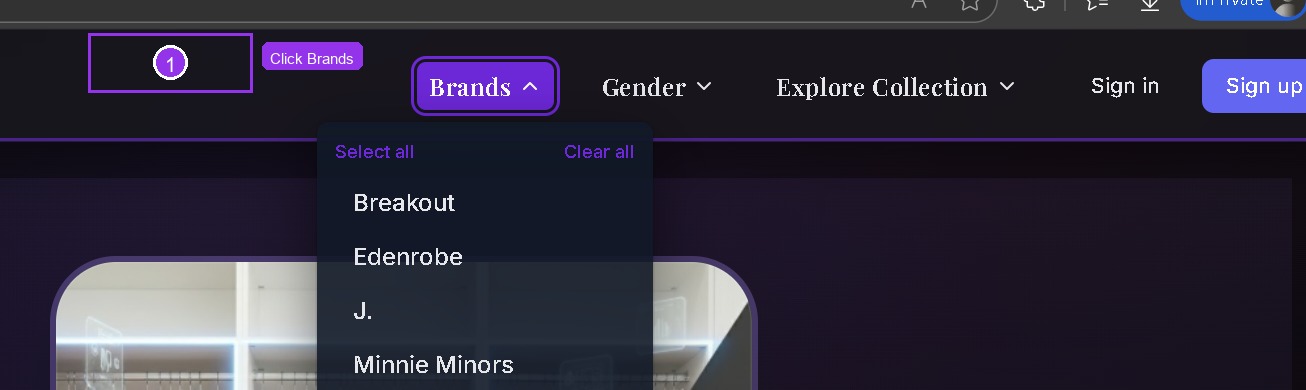
Brands Filter
Click "Brands" to select specific brands. Choose one or multiple — like Edenrobe + Minnie Minors together.
Gender Filter
Click "Gender" to quickly filter for Boys or Girls collections.

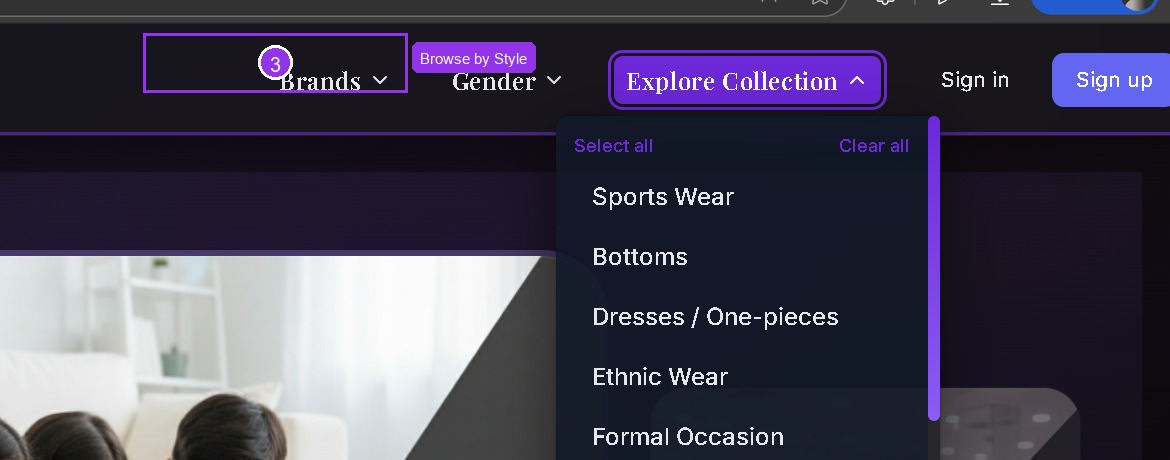
Explore Collection
Click "Explore Collection" to browse by style — Sports Wear, Dresses, Ethnic Wear, Formal, and more.
Advanced Filters on Products Page
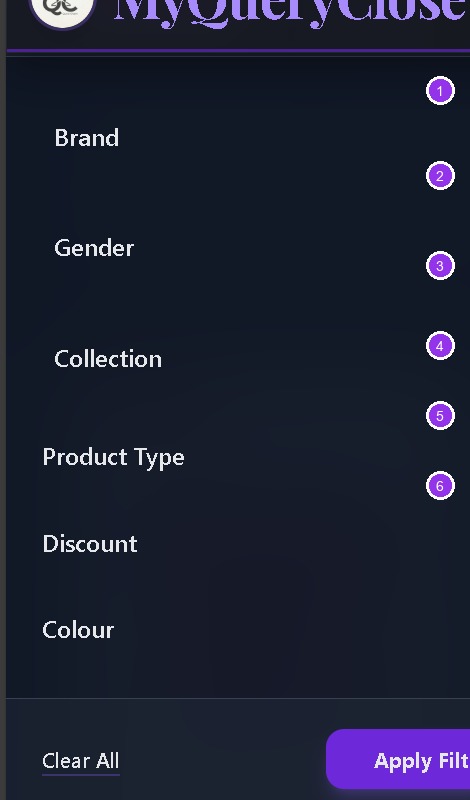
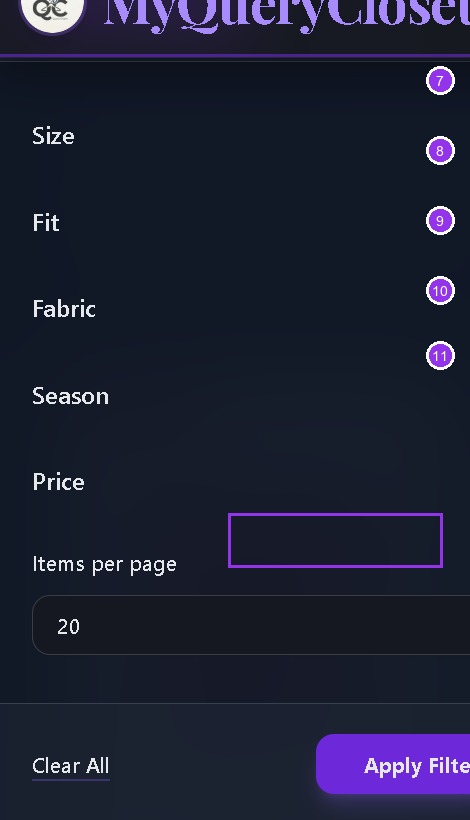
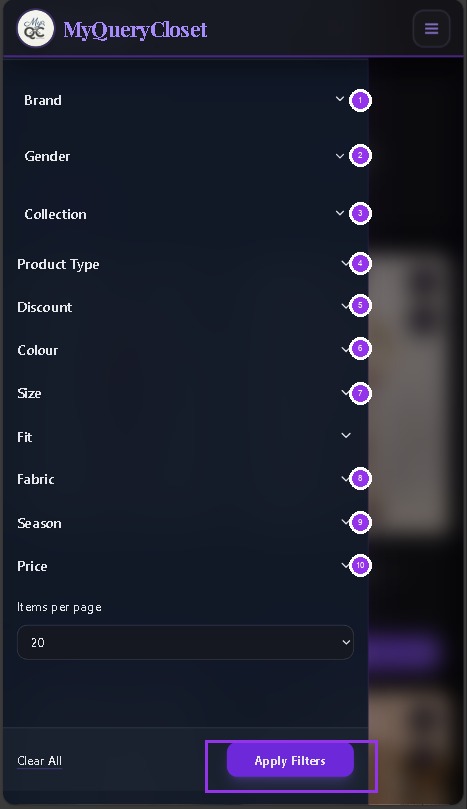
Once you're on the products page, click the "Filter" button to access 11 powerful filters:

Sort Your Results
Use the "Sort" dropdown to order results by price, discount, or alphabetically.

On Mobile
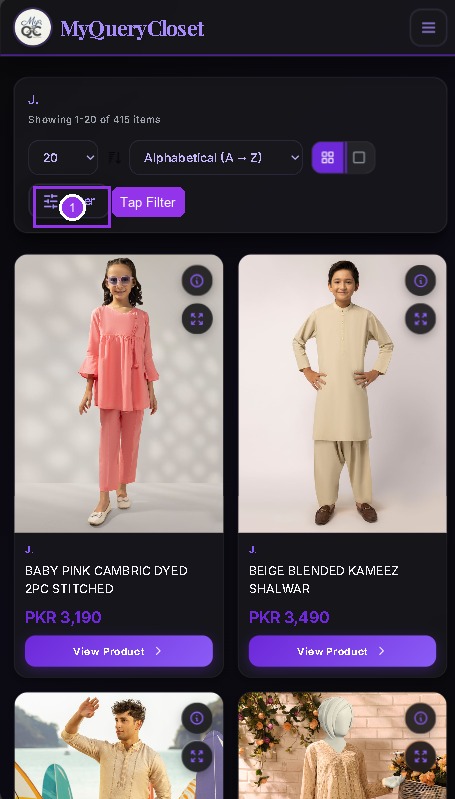
On mobile, access filters through the hamburger menu or the Filter button on the products page.
Hamburger Menu
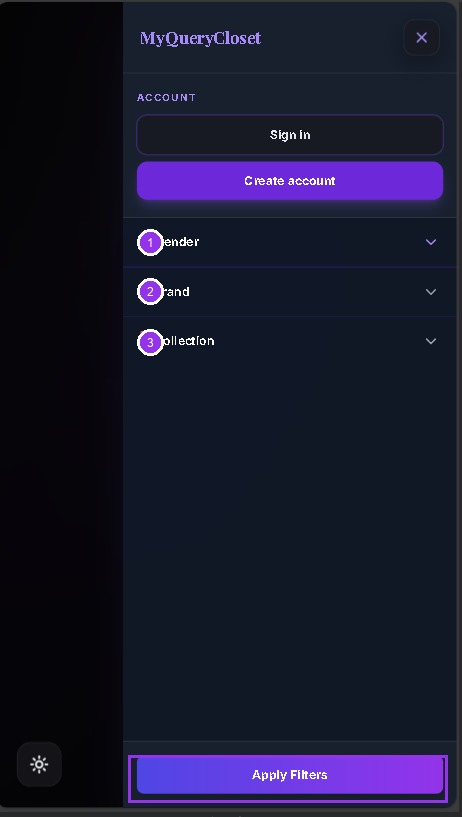
Products + Filter
All Filters
💡 Pro Tips
- •Combine filters — Select multiple brands + a discount range to find the best deals fast.
- •Use "Big Discounts" — Sort by discount to see 50%+ off items first.
- •Clear filters — Use "Clear All" in the filter drawer to start fresh.
Ready to Try?
Now that you know how the filters work, go find that perfect outfit!
Browse Products Now